Choose your project
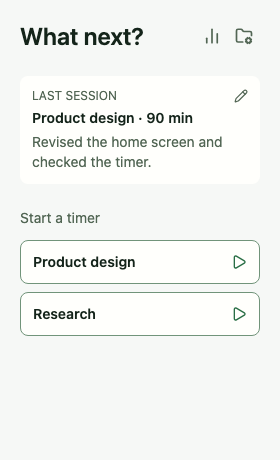
Start from Home. Your latest completed session stays in view.
 Tempo
Tempo
Your work. Your pace. Your Mac.
For the proposal, the design, the side project. Choose what to work on, start the timer, and leave a short note when you finish. Tempo brings your time and your work together in a small desktop app. No sign-in or workspace setup.
€4.99 at launch · One-time purchase · No subscription
Preparing for macOS launch · Not yet available
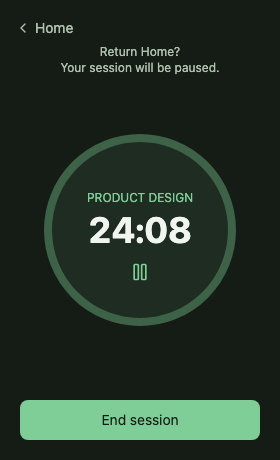
Choose a project and get to work.
Note what you accomplished, as well as how long it took.
No account. Works offline.
A small ritual for meaningful work
For independent work: writing, designing, coding, researching. A clear beginning and a useful record at the end.
Start from Home. Your latest completed session stays in view.
Pause when you need to. Finish with a short note, or add it later.
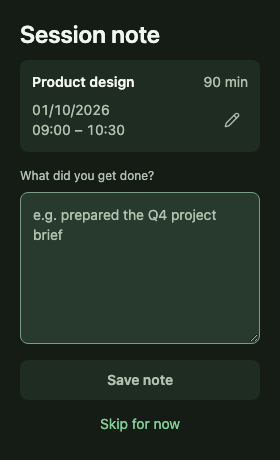
Review completed time and read the notes behind each project.
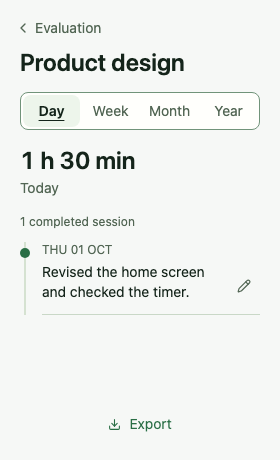
Screens from the current development build, with example projects.
When the day changes plans
Pause your current session and start another project. Tempo records that interruption separately. When it ends, your original session returns paused, ready for you to resume.
Explore the work record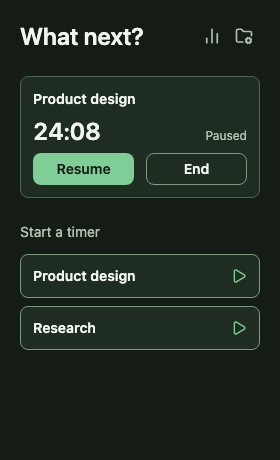
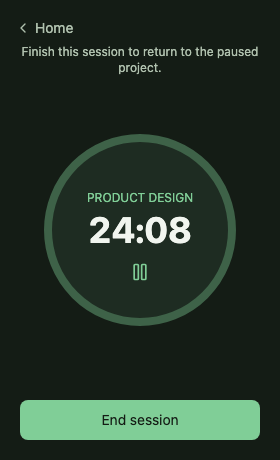
Start, pause, resume and end. Returning to Home pauses the session; time spent paused is excluded.
Edit session notes and correct the latest completed session’s start and finish date and time.
Rename projects, archive finished work and restore it later. Archived projects retain their recorded sessions.
A compact app designed for responsive everyday use. Control sessions from the menu bar. Use application-menu shortcuts. Tempo follows your system’s light or dark appearance.
From focused work to a useful record
See completed time by project for the current day, week, month or year. Open a project to read the individual sessions and notes behind the total.
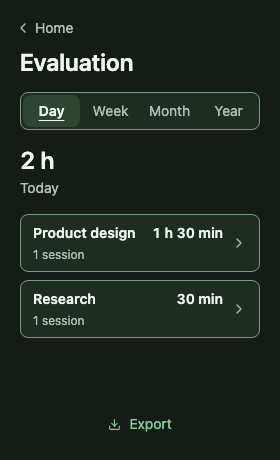
A personal work record
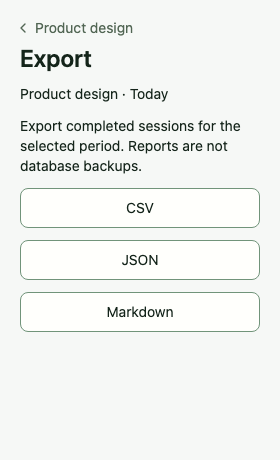
Tempo stores projects, sessions and notes locally. Core tracking and review work offline, without an account or a cloud service. You choose when to export a report or create a backup.
Choose the right tool for your work
Choose Tempo for a personal work log on one computer, without an account or workspace setup. Toggl Track and Clockify also support individual users; their broader tools suit different needs.
Tempo
Choose a project, track your time and note what you accomplished. Keep the context when interruptions happen. Your record stays on your computer, without an account or a shared workspace.
Automatic activity tracking
If you want apps and websites recorded automatically, explore Timing, Timemator or ActivityWatch.
Sync, timesheets and billing
If you need cross-device sync, team timesheets, billable rates or approval workflows, explore Toggl Track or Clockify.
Not yet. Desktop tests still need to be completed and Mac App Store submission is being prepared. This page will link to the listing when it is live. There is no confirmed release date.
No. You start and stop sessions yourself. Tempo does not record which apps or websites you use. It currently has no idle detection, reminders or Pomodoro countdown.
Tempo currently keeps a personal record on one computer. Cloud sync, shared workspaces, invoicing and mobile apps are not part of the current product.
Toggl Track and Clockify offer capable free plans. Choose Tempo for deliberate tracking and a record of what you accomplished: session notes and a clear way to handle interruptions, kept locally without an account. Review time and notes together, then export your record as CSV, Markdown or JSON for your own tools.
Tempo will cost €4.99 at launch as a one-time purchase. No subscription.
Tempo uses German with a German system language and English otherwise. It follows your system appearance automatically.
Help shape Tempo before launch
Tell us what you need from a personal time tracker. You can also ask to hear when Tempo launches or express interest in early testing.
macOS first · In preparation
Testing and release preparation are underway. Mac App Store submission is the next distribution step. Tempo is not yet available to download.
Request a launch updateDesktop checks and release validation still need to be completed.
The Mac App Store submission still needs to be initiated.
The download link will appear here once the listing is approved and live.
Windows and Linux are planned for later. Release dates are still to be confirmed.